fee-optimization
Cheapest Way to Send USDT (TRC20): The Complete Guide
Find the absolute cheapest way to send TRC-20 USDT on TRON. Compare TRX burning, staking, and batch energy rental to reduce transfer fees by up to 90%.
5 min readRead
Is renting TRON energy safe? Learn how TRON's non-custodial Stake 2.0 delegation protects private keys, how to spot rental scams, and how to verify delegations on TronScan.
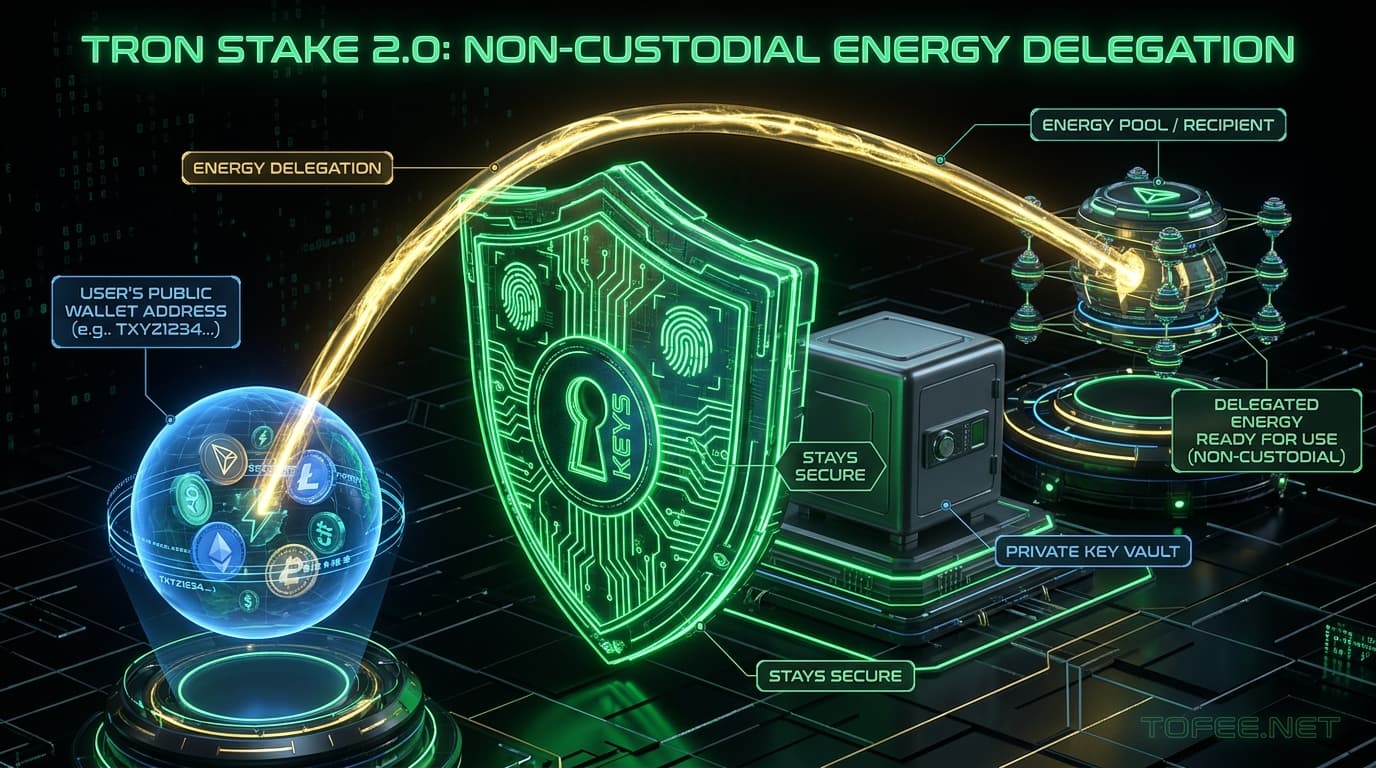
The short answer is yes — when done through legitimate platforms, renting TRON Energy carries zero risk to your underlying wallet balance. The reason isn't platform promises; it's how the TRON blockchain itself handles resource delegation.
Under TRON's Stake 2.0 architecture, renting Energy only ever requires sharing your public wallet address. At no point does the process require granting a smart contract approval over your tokens, connecting a wallet with signing permissions, or revealing a private key.
This guide breaks down the technical reasons why the protocol keeps you safe, where the actual risks lie (they're almost entirely outside the blockchain itself), how to verify every delegation on-chain, and how to spot fraudulent services before sending funds. If you want to test the process with a small amount first, the simplest place to start is to buy tron energy directly through our verified gateway.
To understand why Energy rental is safe, you need to understand what actually happens on-chain when an order is filled.
When a platform delegates Energy to your address, it executes a protocol-level delegateResource transaction. The platform freezes its own TRX, generates the corresponding Energy allocation, and assigns the temporary usage rights of that Energy to your address.
Protocol Delegation Flow:
[Platform Treasury Wallet]
   └── Freezes Native TRX on TRON
   └── Delegates Energy Usage Rights (delegateResource)
         └── Arrives at: [Your Public Address] (Zero Signing / Keys Required)
Crucially:
Because this separation is enforced by the TRON virtual machine (TVM) at the consensus layer, no rental platform can modify these rules.
While the protocol itself is secure, the surrounding ecosystem contains bad actors. Understanding the difference between how a legitimate platform operates versus how scams function is essential.
| Evaluation Metric | Legitimate Platform (e.g., ToFee) | Fraudulent / Phishing Site |
|---|---|---|
| Information Requested | Public TRON address only (T...) | Private key, seed phrase, or contract approval |
| Wallet Interaction | Direct address paste or read-only lookup | Demands full wallet connection with signing access |
| Pricing | Standard market rates | Unrealistic discounts (e.g., "99% off forever") |
| Delivery Speed | Instant automated on-chain delegation (3–60s) | Manual delays or demands for additional "unlock fees" |
| On-Chain Verifiability | Inspectable on TronScan Resources tab | Fake transaction hashes or zero on-chain record |
A reputable TRON energy platform follows a strict set of operational standards:
T) is designed to be shared publicly. Knowing it allows someone to send you tokens or delegate resources, but grants zero control over your funds.approve(spender, amount)). If a site prompts for token contract permissions, reject it immediately.
Not every rental platform sources Energy the same way. The two primary models in the ecosystem are:
ToFee operates on high-capacity automated infrastructure, ensuring delegations clear in under 3 seconds with guaranteed capacity.
You never need to trust a platform's word. You can independently verify any resource delegation directly on the blockchain:
Doing this after your first rental gives you 100% mathematical certainty that the resource is active before broadcasting your TRC-20 USDT transfer.
Even when using a completely secure platform, one user error frequently causes lost payments: sending rental payment directly from a centralized exchange (Binance, Bybit, OKX, KuCoin) withdrawal.
Centralized exchanges execute customer withdrawals through shared pool hot wallets rather than your personal address. When an automated energy system detects incoming TRX from an exchange hot wallet, it delegates the Energy back to that sending exchange wallet — where it is wasted.
To avoid this, always follow the two-step rule: withdraw TRX from the exchange to your personal self-custody wallet first, then send the payment to the rental platform. For a deeper technical walkthrough of this behavior, consult a full breakdown of that specific mistake.
Before completing an Energy order on any platform:

T...).No. A public address only allows someone to send you assets or delegate resources to you — it grants zero ability to move funds out of your wallet. Moving funds requires your private key, which a legitimate platform never asks for.
Check whether the checkout flow ever asks for anything beyond your public TRON address. That single check filters out the vast majority of unsafe platforms before you spend anything.
Typically within 3 to 60 seconds of payment confirming on-chain, since delegation is an automated native TRON transaction. Significant delays or manual review steps indicate non-standard operations.
Pasting your public address is always sufficient and safer than connecting a wallet, since a connection can request signing permissions beyond what is needed. If a platform requires a full wallet connection just to buy Energy, prefer one that only needs the address.
First check TronScan directly for your address's Resources tab — sometimes the delegation lands but is not reflected immediately in a third-party wallet UI. If it is missing and you sent TRX directly from an exchange, the CEX-withdrawal hot-wallet issue is the most common reason.
The delegation mechanism itself is identical either way — it is a native protocol-level feature. The primary differences are delivery latency and liquidity depth.
No. Receiving delegated Energy does not require approving any smart contract token allowance. Any prompt asking for contract approval during an energy purchase should be treated as an immediate red flag.
Equip your wallet with instant non-custodial energy in 3 seconds directly on our automated deposit gateway.
Find the absolute cheapest way to send TRC-20 USDT on TRON. Compare TRX burning, staking, and batch energy rental to reduce transfer fees by up to 90%.
Learn how TRON energy fixed recharge addresses automate non-custodial energy delegation. A complete setup, API integration, and sizing guide for businesses and developers.
Compare renting TRON energy versus burning native TRX for TRC-20 USDT transfers. Detailed cost breakdowns, annual savings projections, and break-even math.