fee-optimization
Cheapest Way to Send USDT (TRC20): The Complete Guide
Find the absolute cheapest way to send TRC-20 USDT on TRON. Compare TRX burning, staking, and batch energy rental to reduce transfer fees by up to 90%.
5 min readRead
Learn how TRON energy fixed recharge addresses automate non-custodial energy delegation. A complete setup, API integration, and sizing guide for businesses and developers.
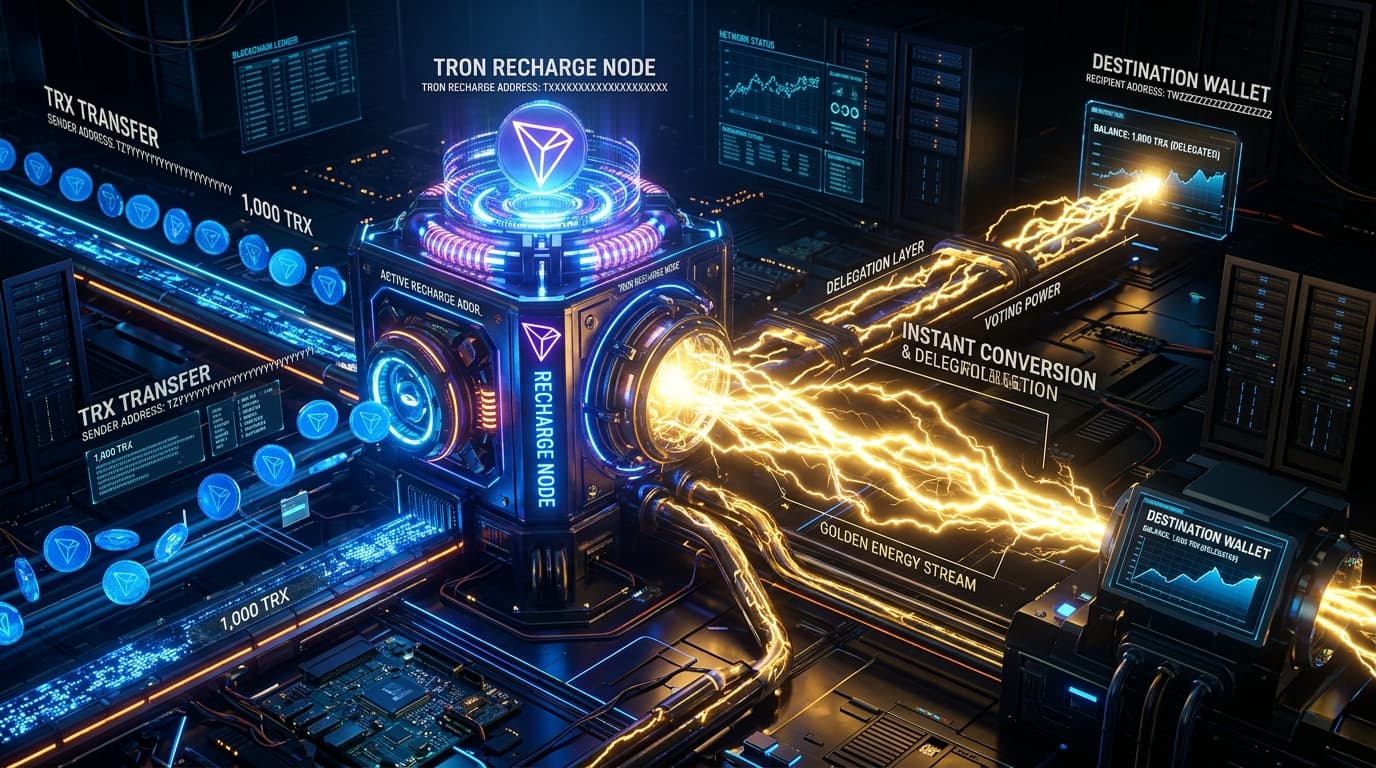
A TRON energy fixed recharge address is a permanent wallet address tied to your ToFee account that automatically converts any TRX you send to it into delegated energy — no order form, no repeat checkout, no manual login required. You generate the address once, save it in your wallet or backend system, and from that point on, every deposit becomes an energy top-up the moment it confirms on-chain, usually within a few seconds.
If you only send USDT a handful of times a week, manually placing an order each time is a minor inconvenience. But the moment you're running an automated payout system, processing withdrawals for an exchange, or covering gas for a DApp's users, that manual step becomes a bottleneck that doesn't scale. A fixed recharge address removes the step entirely: it turns energy top-ups into a background process instead of a task someone has to remember to do.
This guide covers exactly how the mechanism works, who actually benefits from setting one up, how to size and automate the flow, and how to wire it into an existing payment or withdrawal pipeline. If you haven't used ToFee before, the fastest way to understand the underlying mechanics is to buy tron energy manually once first, then come back here to automate the process.
Functionally, it's a standard TRON address — nothing about it looks different on-chain from any other wallet. What makes it a "fixed recharge address" is that ToFee's backend watches that specific address around the clock. Any TRX that arrives there is treated not as a balance sitting in a wallet, but as an instruction: convert this amount into energy and delegate it to whichever wallet you've configured as the destination.
That configured destination doesn't have to be the same wallet that sent the TRX. This distinction matters for businesses: a finance team can fund the recharge address from a treasury wallet while the energy itself gets delegated to a completely separate operational wallet that actually executes the USDT transfers.
A simple way to picture it: imagine a payment processor whose treasury wallet holds the working capital, and whose withdrawal wallet is the one that actually signs and broadcasts USDT transfers to customers. The treasury wallet funds the recharge address on a schedule; the withdrawal wallet is the delegation target. Neither wallet ever needs to touch the other's private key, and the split makes it easy to audit which system did what.
| Feature | Standard Rental Order | Fixed Recharge Address |
|---|---|---|
| Steps per top-up | Open dashboard, fill order, pay, wait for confirmation | Send TRX — nothing else |
| Address | New order, sometimes a new address | Same address permanently |
| Works with automation scripts | Awkward — requires re-authenticating each order | Yes, natively |
| API support | Limited to placing individual orders | Full balance, webhook, and history endpoints |
| Who has to act each time | A person | No one |
The standard flow is fine for occasional, unpredictable needs. The fixed address model exists for the opposite case: predictable, recurring demand where the answer to "who places the order" should be "nobody."

Because the detection is confirmation-based rather than manual, the same reliability applies at 2 a.m. on a weekend as it does during business hours — there's no support queue standing between your deposit and your energy.
If your volume is low and unpredictable, a standard order is still simpler — the automation only pays off once top-ups happen often enough to be worth not thinking about.
Sizing isn't guesswork once you know your two inputs: how many transfers you send in a typical day, and whether those transfers usually go to addresses that already hold USDT or to brand-new ones. A transfer to an existing USDT holder generally needs less energy than one to an address receiving USDT for the first time, because activating a new address requires additional network resources on top of the transfer itself.
Say your service sends a mix of both — mostly repeat customers, occasionally a first-time address. Start by tracking that ratio for a week using your own transaction logs, then multiply it against your daily volume to get a blended daily energy requirement. From there, size your recharge top-ups to cover a few days of that blended requirement rather than a single day, so a temporary spike in new-address transfers doesn't leave you short. If you want the exact energy figures for each transfer type rather than estimating, ToFee's TRON energy calculator guide breaks the calculation down precisely.
The dashboard-and-wallet-app setup above covers manual and semi-manual use. For anything closer to production infrastructure, the ToFee API — built specifically for this kind of automation — exposes the pieces you need to remove the human step completely: querying your current energy balance, looking up your recharge address, and receiving a webhook the moment a delegation completes.
A typical flow inside a withdrawal pipeline looks like this:
None of these five steps requires a person to intervene, which is the entire point: the cost of running this pipeline is the TRX you spend on energy, not the engineering time spent babysitting it. Two implementation details are worth planning for up front. First, treat your API key like any other production secret — store it in a secrets manager rather than in code, and rotate it if it's ever exposed in a log or a client-side bundle. Second, build your webhook handler to be idempotent: network retries mean a webhook can occasionally arrive more than once, and a handler that isn't safe to run twice on the same event can double-count a delegation.
Buying energy manually at the last minute sometimes means paying whatever the current rate is, including brief demand spikes. A recharge address that's topped up proactively during normal conditions avoids that timing risk entirely. It also makes it practical to fund larger amounts in one transaction — which typically qualifies for better per-unit rates than a series of small, reactive orders — something that's hard to justify when you're buying energy one transfer at a time. Treat this the same way you'd treat any recurring operating cost: the version you schedule in advance is almost always cheaper than the version you buy under time pressure.
Nothing about custody changes when you switch from manual orders to a fixed recharge address. You're still only ever sending TRX to a public address and receiving a resource delegation back — at no point does ToFee ask for a private key, a seed phrase, or wallet-level access of any kind. The automation only removes the step of you personally clicking "buy"; it doesn't add any new permission ToFee didn't already have.
The one thing worth actually securing is the address configuration itself: whoever has access to change your destination wallet in account settings effectively controls where your energy goes, so treat that setting with the same access controls you'd apply to changing a payout bank account. For a fuller look at the on-chain mechanics behind delegation and why it doesn't expose your funds, see our full breakdown of TRON energy rental safety.

No — on the blockchain itself it's an ordinary address. The difference is entirely on ToFee's side: incoming TRX to that specific address triggers an automatic energy delegation instead of just sitting there as a balance.
No. Getting the address, saving it, and sending TRX requires no coding at all. The API integration described above is only necessary if you want the balance-checking and top-up logic to run automatically inside your own application.
Each account gets one. If you're managing genuinely separate projects or wallets that shouldn't share funding, the practical approach is separate ToFee accounts rather than trying to split one address's traffic.
Energy delegates to whatever wallet is currently configured in your account settings, which defaults to the wallet used when the address was created. Update the destination before sending if you need it to go somewhere else.
Yes, a small dust threshold roughly equivalent to one energy unit's cost — check your dashboard for the exact current figure, since it moves with market rates.
No. It stays valid for as long as your account exists — it isn't a time-boxed rental address and doesn't need to be renewed, reissued, or reactivated periodically.
Nothing is lost. The deposit is recorded on-chain regardless of ToFee's uptime, and the delegation processes automatically as soon as monitoring resumes.
Equip your wallet with instant non-custodial energy in 3 seconds directly on our automated deposit gateway.
Find the absolute cheapest way to send TRC-20 USDT on TRON. Compare TRX burning, staking, and batch energy rental to reduce transfer fees by up to 90%.
Is renting TRON energy safe? Learn how TRON's non-custodial Stake 2.0 delegation protects private keys, how to spot rental scams, and how to verify delegations on TronScan.
Compare renting TRON energy versus burning native TRX for TRC-20 USDT transfers. Detailed cost breakdowns, annual savings projections, and break-even math.